China Best Dell PowerEdge R760xa GPU Server Price?
Finding the best China price for a Dell PowerEdge R760xa GPU Server starts with comparing complete configurations, not headline prices. A quote may cover the chassis but exclude GPUs, memory, storage, rails, or support. Those omissions can change the final cost substantially. Check every line.
The R760xa is designed for demanding GPU workloads, including AI development, rendering, and high-performance computing. Its value depends on the exact accelerators, processors, memory, networking, and storage selected. A practical comparison should list each component, its quantity, condition, and warranty terms. Ask whether the server is new, refurbished, or configured with customer-supplied parts. Small details matter.
For a reliable purchasing decision, request a dated quotation from an established supplier and verify the configuration against Dell documentation. Confirm delivery costs, lead time, payment terms, and available service options before comparing offers. Prices can shift with GPU availability and exchange rates, so an older online listing may not reflect today’s market. That is easy to miss. It is also worth asking for the system’s intended workload; a low-cost build may not fit your software or cooling requirements. There is no universal “best” price. The strongest offer is a transparent, compatible configuration with support you can actually use. This guide explains which cost factors to check and how to evaluate quotes without relying on an unexplained number.
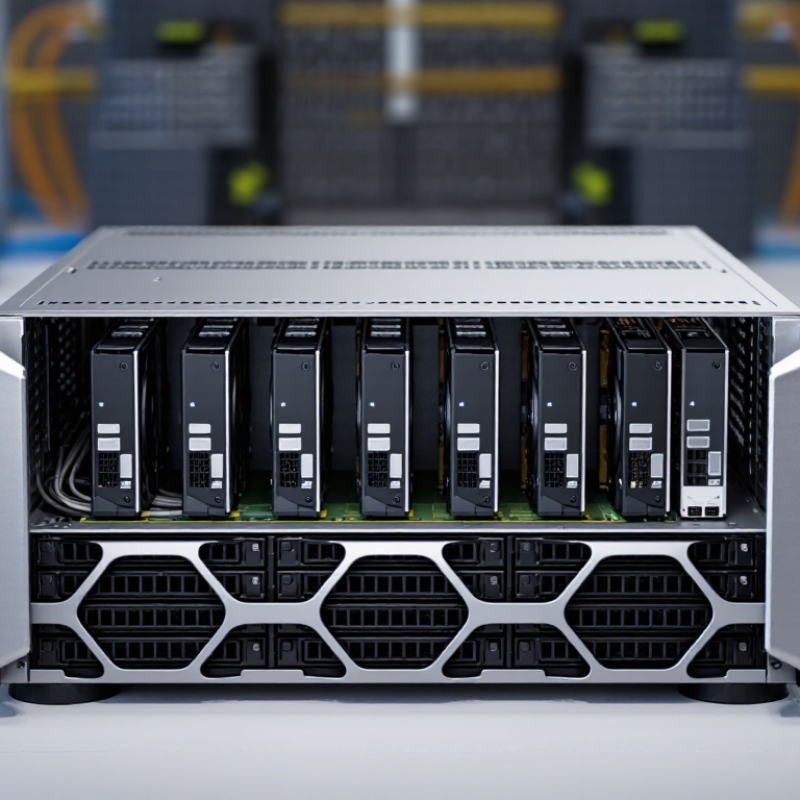
Dell PowerEdge R760xa Overview and GPU Server Architecture
A 2U GPU server is built around dense compute, short airflow paths, and careful power distribution. In this class, configurations may support several double-width accelerators, depending on the chassis and selected components. Two processor sockets handle data preparation and system tasks, while high-speed memory feeds the GPUs. Exact support varies by configuration, so buyers should verify card dimensions, power limits, and cooling requirements before comparing prices.
Heat is the constraint. Large accelerator cards can leave little room for airflow, making fan curves and rack ventilation practical concerns, not fine print. The International Energy Agency’s Electricity 2024 report says electricity use from data centres, AI, and cryptocurrency could exceed 1,000 TWh by 2026. That projection makes server efficiency increasingly relevant, although facility-level cooling also affects real operating costs. A powerful server in a poorly ventilated rack may deliver less than expected.
Storage and networking shape the architecture too. Fast local drives can stage datasets, while high-bandwidth network interfaces help move work between servers. But more capacity is not always better; workload testing matters. One detail is easy to miss: GPU performance depends on software and thermal limits as much as headline specifications. Prices therefore vary widely with accelerator choice, memory, storage, and support. A specification sheet alone cannot predict the final bill—or the sustained performance.
GPU Server Price and Architecture Overview
| Category | Specification or Detail | Practical Consideration |
| Form factor | 2U rack-mounted GPU server | Check rack depth, rail compatibility, airflow direction, and available rack power before deployment. |
| Processor architecture | Supports up to two compatible server processors from the supported processor generation families. | The selected processors affect GPU data-feed capacity, memory bandwidth, and total system cost. |
| GPU capacity | Designed for configurations with up to four double-width accelerators, subject to supported models and power limits. | GPU model, thermal design power, interconnect requirements, and workload determine the supported configuration. |
| Memory architecture | Multi-channel DDR5 memory with 32 DIMM slots in supported configurations. | Memory speed depends on processor and DIMM population; balanced channel population can improve performance. |
| Storage | Drive-bay and controller options vary by chassis configuration and may include SAS, SATA, or NVMe storage. | Confirm the number and type of drive bays, boot-device options, and required storage controller. |
| Expansion and data paths | PCIe expansion supports GPU and network or storage adapters, subject to riser and configuration choices. | Verify slot availability, PCIe generation, lane allocation, and accelerator connectivity for the intended workload. |
| Power and cooling | Redundant power and high-capacity cooling options are configuration-dependent. | Size power distribution and cooling for the complete CPU, GPU, memory, and drive configuration. |
| Typical workloads | AI model training and inference, scientific computing, rendering, and other GPU-accelerated applications. | Choose accelerator memory capacity and software support according to the workload and deployment framework. |
| Price guidance | No single fixed price applies; the final price is quote-based and varies by configuration, region, availability, and support coverage. | Request an itemized quote listing processors, accelerators, memory, storage, networking, power supplies, and service terms. |
Specifications and supported combinations depend on the exact chassis and component configuration. Confirm compatibility and current pricing with the supplier before ordering.
GPU and Hardware Configurations Available for the R760xa
R760xa configurations can be tailored for AI training, inference, or graphics workloads. This 2U, dual-socket platform supports multiple accelerator layouts, with up to four double-width GPUs in compatible configurations. Exact capacity depends on selected risers, cooling, and power options. CPU choices, DDR5 memory, boot drives, storage bays, and network adapters also shape the final build. A practical setup might pair two processors with four accelerators, ample memory, and fast NVMe drives. Still, more GPUs do not always mean better performance; software and workload balance matter.
There is no single price for every R760xa configuration. Accelerator type and memory usually drive a large share of the cost, while processor tier, RAM capacity, storage, networking, and support coverage add further differences. Ask for a line-item quote that lists each component and confirms compatibility. Compare equivalent builds, not just headline prices. A low quote may omit cabling, rails, or required power components.
Tips: Match GPU memory to model size. Check rack power and airflow before ordering. Leave room for growth, but avoid paying for unused capacity. Configuration details can be easy to overlook, and I would verify them twice.
Key Factors That Affect R760xa Prices in China
Key Factors That Affect GPU Server Prices in China
Configuration drives the biggest price differences. The accelerator model and quantity matter, but so do processor choice, memory capacity, storage, network adapters, and power supplies. A quote with fewer accelerators may look attractive until you compare its memory, cooling, and support terms. Configuration changes everything.
Supply and operating requirements also matter. Gartner forecast worldwide spending on data center systems would rise 34.7% in 2024, reaching about $293 billion; that broad demand can affect component availability, but it does not determine any single China quote. The International Energy Agency’s Electricity 2024 report estimated data centers used about 460 TWh globally in 2022, with consumption potentially exceeding 1,000 TWh by 2026. Higher-density systems may therefore need stronger power and cooling infrastructure, adding costs beyond the server itself.
China quotes can also vary with stock, exchange rates, shipping, taxes, warranty coverage, and delivery time. Check whether the price includes tax, rails, and onsite service. Small details count. One common mistake is comparing headline prices without matching configurations. Ask for an itemized quotation and verify each part number; even then, availability can change before purchase.
How to Compare R760xa Quotes from Chinese Suppliers
When comparing R760xa GPU server quotes from Chinese suppliers, request the same bill of materials from each. Specify GPU quantity and model, processor configuration, memory capacity, drive type, and network cards. A low headline price can hide a smaller memory kit or missing components. Small differences matter.
Ask for separate prices for the server, rails, power cords, warranty, and shipping. Confirm the currency, delivery terms, estimated lead time, and whether import costs are excluded. Request a dated quotation and a configuration sheet that matches the proposed unit. Check that the warranty period and support process are written clearly, not just promised in a chat message.
A detailed quote is easier to verify. Compare the exact GPU configuration, not only the server name. Ask how the supplier tests the system before dispatch, and request the test checklist or a sample report. Clarify whether replacement parts ship locally or from overseas. This can affect downtime. I would be cautious with unusually low offers, but price alone proves little. One quote may still leave gaps; ask direct questions and record the answers before paying.
Choosing the Best R760xa Configuration for Your Workload
Choosing the right R760xa configuration starts with the workload, not the lowest quoted price. For model training, estimate GPU memory needs using your actual model size and batch settings. For inference, prioritize throughput, latency, and the number of concurrent users. A team running several small jobs may benefit from a different GPU layout than one training a single large model. Measure before you buy.
Check more than GPU count. Review system memory, storage capacity, network speed, power delivery, and cooling requirements together. A fast accelerator can sit underused if storage cannot feed data quickly enough. In a server room, also confirm rack depth, available power, and airflow; these details are easy to miss on a specification sheet. Ask for the exact configuration and warranty terms in writing, then compare quotes on the same basis. Pricing varies with components, availability, and support. No guesswork.
If possible, test representative jobs on the proposed setup and record utilization, response time, and power draw. These measurements make trade-offs clearer than a headline price. I would still leave some capacity for growth, but not so much that expensive hardware spends its days idle. That balance is awkward, and it deserves a second look.
GPU Server Pricing: Choosing a Configuration for Your Workload
Example GPU-count planning targets for common workloads. More accelerators can increase capacity, but pricing also depends on memory, storage, networking, and the selected hardware.
These are illustrative configuration examples, not benchmark results or a price quote. Confirm supported configurations and current pricing with your system supplier.