
Contract Manufacturing for Injection Molded Plastic Products in North America
(800) 824.0607

RFQ / CONTACT
Contract Manufacturing for Injection Molded Plastic Products in North America | (800) 824.0607

10 Best WiFi Carbon Monoxide Detectors for 2026

Carbon monoxide is invisible and odorless, so a dependable alarm matters even when everything at home seems normal. A Wifi Carbon Monoxide Detector can add phone notifications to an audible alert, helping you notice a warning while away. But Wi-Fi is not a safety guarantee. A weak signal, power loss, or disconnected router may interrupt remote alerts.

This guide to the 10 Best WiFi Carbon Monoxide Detectors for 2026 looks at practical differences that affect everyday use. We consider sensor type, alarm volume, app setup, backup power, smart-home compatibility, and the clarity of maintenance instructions. We also look for products that identify relevant safety certifications and direct buyers to follow the manufacturer’s placement guidance. For example, a detector near a bedroom hallway may serve a different purpose than one near a furnace or attached garage. Small details matter.

Remote access is useful. It is not a substitute for a working local alarm, routine testing, or an emergency plan. We cannot know every home’s layout, Wi-Fi coverage, or household needs, and no product list can make that judgment for you. That limitation deserves attention. The comparisons below are intended to help readers ask better questions before buying, not to promise that one device fits every space. Check current product specifications, replacement timelines, and app requirements before choosing a detector.
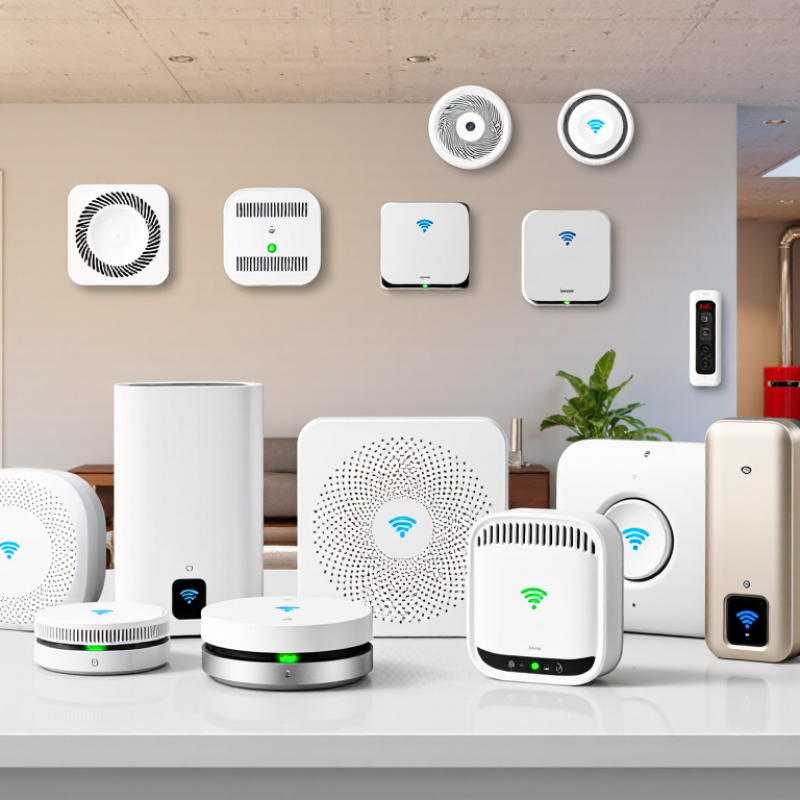
10 Best WiFi Carbon Monoxide Detectors for 2026

How Wi-Fi Carbon Monoxide Detectors Work

A Wi-Fi carbon monoxide detector uses a sensor to monitor carbon monoxide in the surrounding air. Many models use an electrochemical sensor, which reacts to the gas and produces a measurable electrical signal. The detector evaluates that signal over time, since alarm thresholds can depend on both concentration and exposure duration. If readings reach the unit’s alarm criteria, its built-in siren sounds. Some models also send a notification to a connected phone.

Wi-Fi adds remote communication, not extra sensing power. The detector connects to a home router and sends alerts through an app, which can help when nobody is near the alarm. But a weak signal, router outage, or phone setting may delay notifications. The local alarm should remain the main warning. Check the product’s instructions for sensor type, alert behavior, backup power, and recommended placement. Details vary between devices.

Tips: Test the alarm regularly, keep vents clear, and follow the manual’s placement guidance. Don’t assume an app alert proves the sensor is working. A practical check is to test the unit before relying on remote alerts. I still find setup instructions easy to skim too quickly; that can mean missing a small but important Wi-Fi requirement.

Key Features to Compare in 2026

For a 2026 WiFi carbon monoxide detector, compare the alarm first and the app second. CDC data report that carbon monoxide poisoning causes more than 400 unintentional deaths, 100,000 emergency-room visits, and 14,000 hospitalizations in the United States each year. Check that a detector is certified to the UL 2034 safety standard, and review its listed sensor life and end-of-life warning. Useful details. A clear display showing CO concentration can help distinguish a low-level reading from an urgent alarm.

WiFi features matter most when nobody is near the alarm. Compare phone alerts, alert history, shared household access, and whether notifications require a subscription. Ask what happens when the router or power fails: battery backup and a loud local alarm still matter. NFPA guidance recommends CO alarms outside each separate sleeping area and on every level of the home. One connected unit may not cover a whole house.

Test the alarm using its test button, but remember that this checks the alarm function, not necessarily the sensor’s accuracy. App delivery can also be delayed by weak WiFi or phone settings. That part is easy to overlook. A useful comparison should weigh reliable local warning, clear replacement dates, and practical placement—not just a long feature list.

10 Best WiFi Carbon Monoxide Detectors for 2026 - Key Features to Compare in 2026

Brand-neutral comparison guide. Check each detector’s current packaging and manual for its exact specifications, certifications, compatibility, and service life.

Rank Feature to Compare What to Look For Why It Matters
1 Safety certification A clearly identified certification to the applicable residential CO alarm standard, such as UL 2034 in the United States. Independent certification helps verify that the alarm was evaluated against relevant performance requirements. Confirm the listing for the exact model.
2 CO sensing and alarm response A CO-specific alarm tested to the relevant standard. UL 2034 includes response windows of 60–240 minutes at 70 ppm, 10–50 minutes at 150 ppm, and 4–15 minutes at 400 ppm. Alarm timing depends on CO concentration. These standard test windows are not a substitute for leaving the area when an alarm sounds.
3 Wi-Fi requirements Confirm the supported Wi-Fi band, network requirements, and whether the alarm needs an internet connection for remote alerts. Compatibility varies by device and router. A Wi-Fi or internet outage can affect remote notifications even when local alarm functions remain available.
4 Power and backup Check whether the unit is plug-in, hardwired, or battery-powered, and whether it has backup power during an outage. Choose a power arrangement suited to the installation location; verify backup type and replacement requirements in the manual.
5 Local alarm and display Look for an audible alarm and, if useful, a display that shows CO readings or status information. The device should provide an on-site warning; app notifications are an additional feature, not a replacement for a local alarm.
6 App alerts and history Check for alarm, low-battery, and fault notifications, plus any event history the app provides. Remote features depend on the device, network, app settings, and phone notification permissions. Review what works without internet access.
7 Interconnection Determine whether compatible alarms can sound together and whether interconnection is wired, wireless, or unavailable. Interconnection can help alerts reach other areas of a home. Compatibility is model-specific; verify supported devices and installation instructions.
8 CO-only or combination alarm Check whether the device detects carbon monoxide only or also includes smoke detection. A CO-only alarm does not detect smoke. For a combination unit, confirm that each sensing function is included in the product’s certification.
9 Sensor and end-of-life indication Review the stated sensor or alarm service life and how the unit signals end of life or a fault. Service life and replacement guidance differ by model. Follow the manufacturer’s replacement schedule rather than relying on appearance or app status alone.
10 Installation and placement Check mounting options, room suitability, and the placement instructions supplied with the alarm. Correct placement matters. Install and maintain the alarm according to its manual and applicable local requirements.

Note: A Wi-Fi CO alarm is not a substitute for required alarms, routine testing, or an emergency response plan. If a CO alarm sounds, move to fresh air and contact local emergency services.

The 10 Best Wi-Fi Carbon Monoxide Detectors for 2026

The 10 Best Wi-Fi Carbon Monoxide Detectors for 2026

Choosing among ten Wi-Fi carbon monoxide detectors means looking beyond app features. Compare sensor type, alarm loudness, backup power, device lifespan, and whether alerts still sound when internet access drops. A phone notification is useful, but it cannot replace a loud local alarm. Check that each model meets applicable safety standards, such as UL 2034 in the United States, and follow the manufacturer’s placement instructions.

The risk is real. The CDC reports that carbon monoxide poisoning causes more than 400 deaths and over 100,000 emergency department visits annually in the United States. The National Fire Protection Association recommends installing alarms outside each sleeping area and on every level of a home. For a practical comparison, test how clearly each detector signals low battery, end of life, and an active alarm. Small display screens can be hard to read from across a dim hallway. One limitation is easy to miss: Wi-Fi reliability varies, and connected features may not work during an outage.

Tips: Test the alarm monthly and replace it according to its stated service life. Keep it away from direct airflow, which can delay detection. Don’t rely on a single device. Check that household members can hear the alarm from bedrooms, with doors closed.

Installation and Smart-Home Setup

A WiFi carbon monoxide detector is only useful when it can sense air properly and send alerts reliably. Follow its installation guide, since recommended locations can vary by model. Many units belong near sleeping areas, but avoid placing one beside a window, vent, or fuel-burning appliance unless the instructions say otherwise. Keep it accessible for testing and battery checks. A ceiling corner may look tidy, but it can make maintenance awkward.

During setup, connect the detector to your home network and confirm that alerts reach your phone. Test the alarm using the device’s test function, not by exposing it to exhaust or smoke. If your router or power fails, the detector should still provide its intended local alarm; check the manual for backup details. Smart-home routines can share alerts with household members, but they should never silence an alarm automatically. Keep it simple. I’d still double-check notification settings after changing a router or phone.

Tips: Write down the installation date and test it on a regular schedule. Don’t ignore a weak WiFi signal; move the router or improve coverage rather than relocating the detector without checking its instructions. If the alarm sounds, leave the area and contact emergency services from a safe location. Don’t rely on an app notification alone.

Testing, Maintenance, and Replacement

Testing a WiFi carbon monoxide detector means checking more than an app icon. Press the test button as directed in the manual, and confirm the alarm sounds clearly. Check that the app receives a test or status alert. A missing alert may point to a connection issue, not a failed sensor. Keep the local alarm in mind. WiFi can drop during a router outage, and phone notifications may arrive late.

Dust can collect around vents, especially near kitchens or busy hallways. Wipe the exterior with a soft, dry cloth, and avoid sprays or solvents unless the instructions allow them. Check the power source and battery warnings regularly. Test after changing a battery or moving the unit. Small detail. It matters. Do not expose the detector to vehicle exhaust or other carbon monoxide sources to “see if it works”; use its built-in test function.

Every detector has an end-of-life date. Find it on the unit or in its manual, and replace the device by that date, even if it still appears to work. Sensor life varies by model, so a general age estimate is less reliable than the manufacturer’s guidance. I used to treat a green status light as reassurance; it only shows limited information. Review alerts and connection settings occasionally, and replace a unit that gives persistent faults rather than relying on an uncertain reading.