10 Tips for Choosing the Best Flat Screen TV
Choosing a Flat Screen Tv is easier when you match its features to the room and the way you watch. A large screen may seem like the obvious choice, yet it can feel uncomfortable in a small space. Viewing distance, window glare, and seating height all affect the experience. Measure the wall and the distance from your sofa before comparing models. A tape measure is more useful than guesswork.
Picture quality deserves careful attention, but specifications do not tell the whole story. Compare screen types, resolution, refresh rates, and HDR support using the content you actually enjoy. A fast sports scene can reveal motion blur; a dark film can show whether shadow details disappear. Store displays are often bright, so home lighting may produce a different result. Not always. Check available HDMI ports, streaming features, and the return policy, too. These practical details can matter more than an impressive display label.
Sound is easy to overlook. Thin televisions may struggle to make dialogue clear, especially in a busy room, so consider whether external speakers fit your budget. Energy use, mounting options, warranty coverage, and ease of setup also deserve a place on your checklist. There is no perfect model for everyone. These ten tips will help you compare options with clearer priorities, while leaving room to reconsider what matters most after you see the television in your own home.
Define Your Viewing Needs and Room Conditions
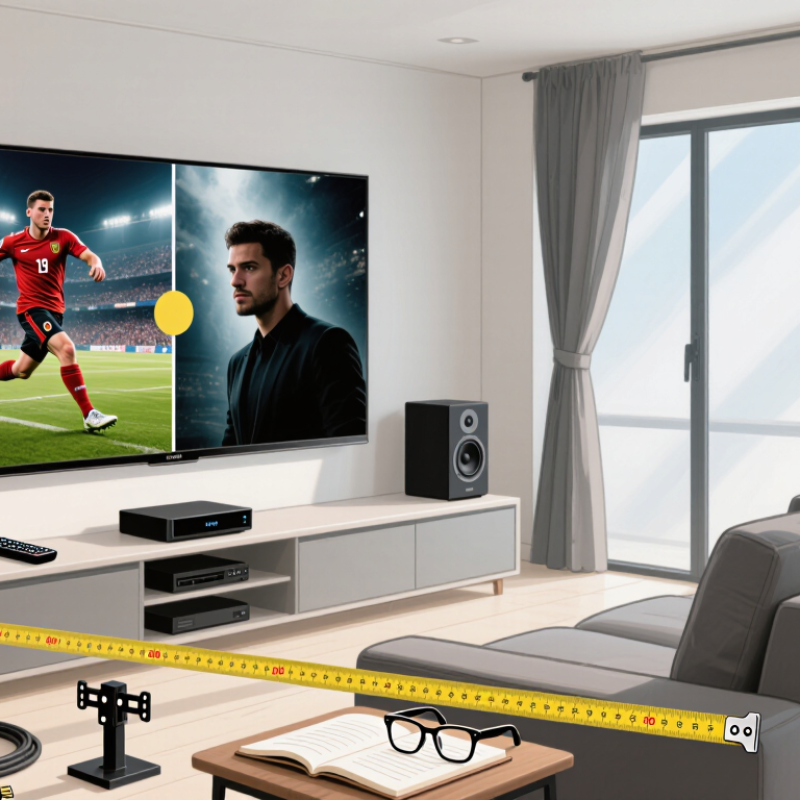
Before choosing a flat-screen TV, think about how you actually watch. Measure the distance from your usual seat to the wall, and note the width available for the screen. A large display can feel impressive in a shop but overwhelming at close range. Sit where you normally would. Check whether everyone can see the screen without turning their heads or viewing it at a sharp angle. Screen-size recommendations are only starting points; eyesight, content, and personal preference matter too.
Room light matters. Notice reflections on the screen at the times you watch most, especially if a window faces the wall or a lamp sits behind you. A bright room may call for a screen that remains easy to see in daylight, while a darker room can make glare more distracting. I used to focus on screen size and overlook the afternoon sun; that was a poor trade-off. Also consider what you watch: fast sports, films with dark scenes, and caption-heavy shows place different demands on visibility. Make a quick sketch of the room, including windows, seats, and power outlets. It may look a little crude, but it can reveal a placement problem before delivery.
Choose the Right Screen Size and Resolution
A larger screen can feel immersive, but it should fit the room and your usual viewing distance. Measure the space before shopping, including the stand or wall area. For a typical living room, a 55-inch screen may work well when seating is several feet away. Sit where you normally watch and notice whether your eyes can take in the whole picture comfortably. Too close? Details may look distracting, especially during fast scenes.
Resolution matters, but screen size and distance matter too. A 4K display has more pixels than a 1080p display, which can make fine details clearer on a large screen. Yet from across a small room, the difference may be hard to notice. Bigger numbers do not guarantee a better experience. If you stream older shows or watch low-resolution clips, the image may look soft on a very large screen. I have found that checking familiar footage in a showroom helps, though bright store lighting can make comparisons misleading. Look for sharp text, natural-looking faces, and clean edges from your own seating distance. One detail is easy to miss: measure the screen diagonally, not across its width. Then compare that measurement with the actual space available.
Compare Display Technologies and Picture Features
Choosing a screen starts with the room, not the spec sheet. OLED pixels create their own light, so dark scenes can show deep blacks without a backlight glow. LCD sets, including Mini LED models, use backlights and can suit bright rooms, though bright subtitles may create halos around them. That trade-off is real. A single “peak brightness” figure can mislead because it may describe only a small test window, not a full movie scene. Compare measured contrast, reflection handling, and brightness in reviews that explain their test methods.
Resolution and HDR labels need context, too. ITU-R Recommendation BT.2020 defines UHD formats of 3,840 × 2,160 and 7,680 × 4,320 pixels, but more pixels do not guarantee better contrast or color. ITU-R BT.2100 describes HDR systems using PQ or HLG transfer functions; the screen still needs enough brightness and suitable local dimming to show highlights well. Check whether the TV supports the HDR formats used by your films and games. Then look for a 120 Hz panel and variable refresh rate if you play fast games. I would not choose by one number alone. Spec sheets make this harder than it should be.
Assess Price, Reliability, and Warranty Coverage
A television’s sticker price is only one part of its real cost. Compare models with similar screen sizes, display types, and features before judging a deal. A low price may reflect fewer connection ports or a basic stand, which could mean extra spending later. Check delivery, setup, and return fees too. Small charges add up.
Look for reliability clues in independent testing and detailed owner reviews. Pay attention to repeated complaints, such as uneven brightness, slow menus, or loose ports, rather than one dramatic story. I still find this part easy to rush. Note how long the television has been available, since very new models may have limited long-term feedback. Compare repair access and the cost of common replacement parts when that information is available.
Read the warranty before buying. Check its length, what parts and labor it covers, and whether in-home service is included. Some coverage excludes accidental damage or requires you to pay shipping. Keep the receipt and warranty details together; a clear photo of both can help. Ask the seller to explain unclear terms, and save the answer. Don’t assume. A longer warranty is not automatically better if its exclusions are broad or the claim process is difficult.
10 Tips for Choosing the Best Flat Screen TV
Assess price, reliability, and warranty coverage alongside picture specifications.
Pixel counts are calculated from each resolution’s standard dimensions. Higher resolution is only one factor in choosing a TV: compare like-for-like prices, check independent reliability information, and read the written warranty terms for coverage and duration.