
Top Used Communication Testers for Sale Worldwide
A Used Communication Tester can help laboratories, repair teams, and network engineers expand test coverage without paying the price of a new platform. Yet the right choice depends on more than the listing price. A bench unit with clean ports, a readable display, and stable power-up behavior may be a better buy than a newer model with missing options. Small details matter. Buyers should check supported standards, frequency ranges, software versions, and included licenses against their actual workloads. A tester designed for radio measurements may not meet needs for optical, protocol, or wireless testing.
Worldwide listings can offer access to established brands and discontinued models, but condition and seller documentation vary. Ask for the model and serial details, a clear inventory of accessories, and recent test results where available. Calibration records can help assess measurement confidence, though their age and scope should be reviewed carefully. Confirm that cables, adapters, batteries, and manuals are included, since replacing specialized parts can change the real cost. A short live demonstration can reveal issues that photographs hide. No checklist catches everything; that is an uncomfortable truth. This guide introduces popular used communication testers and practical points for comparing them, from application fit to service support. The goal is not to find the cheapest unit at any cost, but a dependable instrument with limitations you understand before purchase.
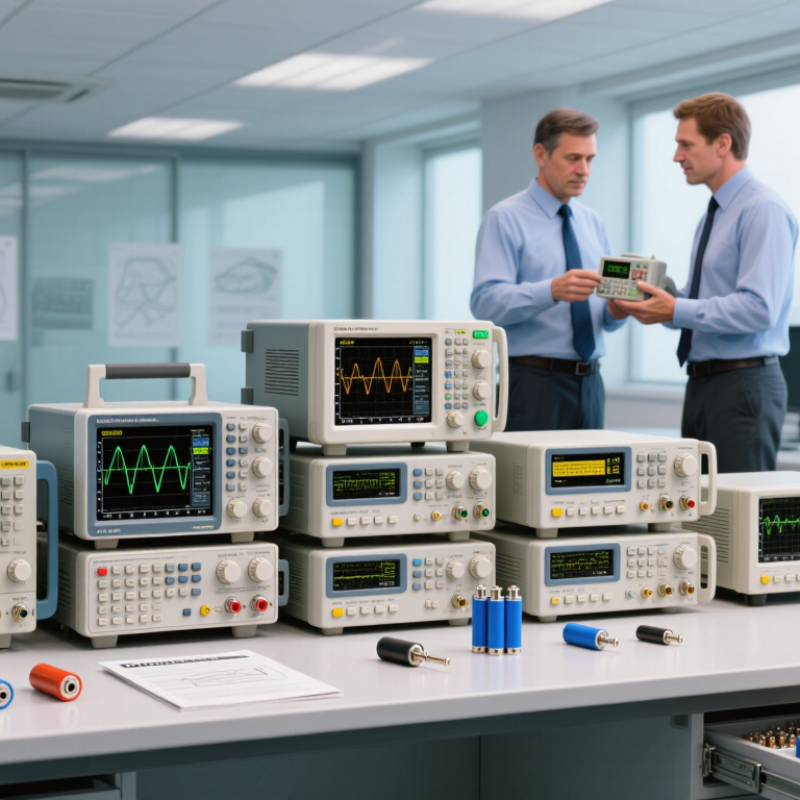
What Communication Testers Measure and How They Are Used
Communication testers turn signals into measurements that technicians can check and compare. Depending on the instrument, they may measure frequency, transmitted power, modulation quality, signal strength, or bit-error rate. Network-focused models can also report throughput, packet loss, latency, and cable faults. These readings help show whether a link is working within its intended limits, not simply whether a device powers on.
In a radio test, a technician might connect a coaxial cable, set a known frequency, and compare the measured output with the equipment specification. A spectrum display can reveal unwanted signals or a drifting carrier. For fiber or data links, loopback tests and error counts help locate trouble along the connection. Small details matter. Loose adapters, damaged leads, or incorrect settings can distort results, so recording the setup is useful.
Testers are used during installation, routine maintenance, troubleshooting, and equipment evaluation. A repeatable test gives teams a baseline to compare after repairs or configuration changes. Yet one clean reading is not always enough. Temperature, cable length, and test limits can affect the result. It is easy to trust a neat display too quickly; checking with a second measurement may catch an overlooked setup issue. Some instruments also need current calibration, and that detail is easy to forget.
Top Used Communication Testers for Sale Worldwide - What Communication Testers Measure and How They Are Used
| Tester Type | What It Measures | Typical Applications | Common Test Connections | Typical Used-Market Range (USD) | Checks Before Purchase |
|---|---|---|---|---|---|
| RF Spectrum Analyzer | Signal frequency, amplitude, occupied bandwidth, harmonics, and unwanted emissions. | Finding interference, checking transmitters, and investigating RF signal quality. | Coaxial RF input; an external antenna or suitable attenuator may be used. | About $500–$15,000 | Verify frequency coverage, input condition, calibration status, and included options. |
| Vector Network Analyzer (VNA) | Reflection and transmission characteristics, including return loss, insertion loss, and impedance matching. | Testing antennas, filters, cables, and other passive RF components. | One or more calibrated coaxial test ports and appropriate calibration standards. | About $1,000–$25,000 | Inspect connectors, confirm port count and frequency range, and check calibration accessories. |
| Cable and Antenna Analyzer | Cable loss, distance to fault, impedance match, and antenna return loss or VSWR. | Installing and maintaining radio, cellular, and broadcast antenna systems. | Coaxial cable connection; adapters depend on the cable and antenna connector type. | About $400–$8,000 | Check measurement range, connector wear, battery condition, and whether calibration is current. |
| Ethernet Cable Certifier | Wire map, length, insertion loss, crosstalk, and other parameters required to assess cabling against a selected category or standard. | Certifying copper structured cabling and troubleshooting LAN wiring installations. | RJ45 channel or permanent-link adapters, as required by the test setup. | About $800–$10,000 | Confirm supported cabling categories, adapter compatibility, software access, and calibration status. |
| Optical Time-Domain Reflectometer (OTDR) | Fiber length, attenuation, splice and connector events, and approximate fault location along an optical link. | Commissioning and troubleshooting single-mode or multimode fiber-optic networks. | Optical fiber connector; launch and receive fibers improve measurement of near-end and far-end events. | About $700–$12,000 | Check wavelength options, connector cleanliness, dead-zone performance, and battery health. |
| Optical Power Meter and Light Source Set | Received optical power and end-to-end fiber insertion loss at supported wavelengths. | Measuring optical link loss during fiber installation, maintenance, and fault checks. | Optical connectors matched to the fiber and adapters in use. | About $100–$2,000 | Verify wavelength coverage, detector response, connector adapters, and calibration records. |
| Protocol and Network Analyzer | Network traffic, packet timing, protocol fields, errors, and link behavior for supported interfaces. | Diagnosing data-network issues and validating communication between network devices. | Ethernet taps, network ports, or protocol-specific interface modules. | About $500–$15,000 | Confirm supported protocols, port speeds, licensed features, and availability of interface modules. |
| Telecom Transmission Tester | Bit error rate, framing, alarms, timing, and performance parameters for supported digital transport interfaces. | Installation and maintenance testing on telecom transmission links and network equipment. | Interface-specific electrical or optical modules and cables. | About $500–$12,000 | Check supported line rates and interface standards, module condition, and required software options. |
Used-market prices are broad, indicative estimates in USD and vary by region, condition, age, calibration, accessories, and licensed options. Confirm the exact configuration and test operation before purchase.